Network infrastructure
Planning PoE budgets for IP CCTV
Look beyond port count: account for camera demand, uplink capacity and operational headroom before selecting an access switch.
Start with the endpoint schedule
Record the maximum power demand of each camera, including infrared illumination, heaters and PTZ movement where applicable. Confirm the required PoE class and compatibility against the camera and switch datasheets.
A switch with sufficient ports may still have an inadequate total PoE budget. Reserve documented headroom for simultaneous peak operation and planned additions rather than relying on typical daytime consumption.
Check the complete recording path
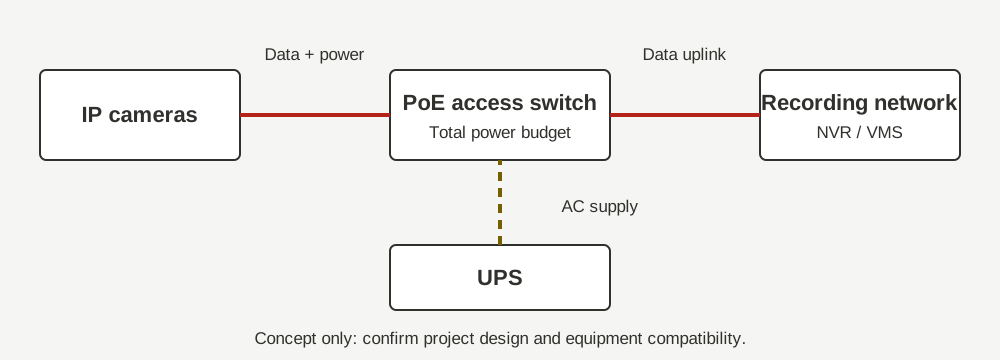
Map camera VLANs, uplinks, the video management system and NVR storage. Estimate aggregate traffic using the selected resolution, frame rate and codec; variable bitrate can increase with scene activity.
Confirm power availability at the rack, UPS autonomy and heat dissipation. Network segmentation and access permissions should be coordinated with the client IT team before commissioning.
Make the handover measurable
Test the agreed camera load, inspect switch power telemetry and verify recording continuity during approved recovery tests. Retain port schedules, addressing records and configuration backups with the handover documentation.
This article is a planning overview. Final design and acceptance criteria require project-specific review and manufacturer documentation.